
LinkedIn Image Sizes 2026: The Complete Guide (Every Dimension You Need)
Profile photos, banners, posts, carousels, ads, events — every current LinkedIn image size in one place, verified against LinkedIn's 2026 specs. Bookmark this page and stop guessing.
Your LinkedIn profile gets judged in about two seconds. Before anyone reads your headline, they see your photo, your banner, and your latest post — and if any of those look stretched, cropped, or blurry, the judgement is already made.
The frustrating part? It's rarely a design problem. It's almost always a size problem. LinkedIn crops and compresses every image you upload, and each placement has its own rules. A graphic that looks sharp as a feed post turns into pixel soup as a company cover.
This guide covers every current LinkedIn image size for 2026 — personal profiles, company pages, feed posts, carousels, ads, events, groups, and video. Each section includes exact pixel dimensions, aspect ratios, file limits, and the safe zones that keep your text from getting chopped off on mobile.
Pro tip
Upload at the exact recommended dimensions whenever you can. When your file already matches the target size, LinkedIn skips its resizing step — and that's where most quality loss happens.
Why LinkedIn Image Sizes Matter in 2026
LinkedIn now has over 1.3 billion members, and roughly 60% of them browse on mobile. That single stat changes everything about how you should design.
Three things go wrong when your dimensions are off:
- Compression damage. Upload too small and LinkedIn upscales your image into blur. Upload a huge file and aggressive compression eats the fine details — especially text inside graphics.
- Unpredictable cropping. Desktop and mobile crop differently. A banner that looks perfect on your laptop can lose your logo, your tagline, or half your face on a phone.
- Credibility loss. Posts with images earn roughly twice the engagement of text-only posts — but a pixelated image works against you. It quietly signals "didn't check the details" to the exact people you're trying to impress.
Correct sizing is the cheapest branding upgrade available. It costs nothing except knowing the numbers — which is what the rest of this page gives you.
What's New (and What's Dead) in 2026
Most LinkedIn dimensions have stayed stable, but a few things trip people up this year:
- Portrait posts (4:5) dominate the mobile feed. A 1080 × 1350 image takes up noticeably more screen space than landscape, which is why it consistently outperforms other formats in 2026.
- Company covers accept high-resolution uploads. The cover still displays at roughly 1128 × 191, but LinkedIn's uploader now accepts files at the same ~6:1 ratio up to 4200 × 700 — worth using so your cover stays crisp on retina screens.
- LinkedIn Stories are still gone. They were discontinued back in September 2021. Any guide that lists "LinkedIn Story size: 1080 × 1920" hasn't been updated in years — a useful freshness test for whatever you're reading.
- Vertical video keeps growing. LinkedIn's feed now handles 4:5 and 9:16 video comfortably, mirroring the short-form video push across every platform.
Warning
LinkedIn does not keep PNG transparency — transparent areas are filled with white on upload. It also doesn't play animated GIFs; they post as a static first frame. Design accordingly.
Quick Reference: LinkedIn Image Size Cheat Sheet (2026)
Need one table to screenshot? This is it.
| Image type | Recommended size (px) | Aspect ratio | Max file size |
|---|---|---|---|
| Profile photo | 400 × 400 | 1:1 | 8 MB |
| Profile banner (cover) | 1584 × 396 | 4:1 | 8 MB |
| Company logo | 300 × 300 | 1:1 | 4 MB |
| Company cover | 1128 × 191 (up to 4200 × 700) | ~6:1 | 4 MB |
| Feed image — landscape | 1200 × 627 | 1.91:1 | 5 MB |
| Feed image — square | 1080 × 1080 | 1:1 | 5 MB |
| Feed image — portrait | 1080 × 1350 | 4:5 | 5 MB |
| Multi-image post | 1080 × 1080 (all slides) | 1:1 | 5 MB each |
| Carousel / document (PDF) | 1080 × 1080 or 1080 × 1350 | 1:1 / 4:5 | 100 MB total |
| Link preview (OG image) | 1200 × 627 | 1.91:1 | 5 MB |
| Article cover | 1920 × 1080 | 16:9 | 8 MB |
| Single image ad | 1200 × 627 / 1200 × 1200 | 1.91:1 / 1:1 | 5 MB |
| Carousel ad card | 1080 × 1080 | 1:1 | 10 MB each |
| Message ad banner | 300 × 250 | 1.2:1 | 2 MB |
| Event banner | 1600 × 900 | 16:9 | 8 MB |
| Group banner | 1536 × 768 | 2:1 | 8 MB |
| Video — landscape | 1920 × 1080 | 16:9 | 5 GB |
| Video thumbnail | 1920 × 1080 | 16:9 | 2 MB |
LinkedIn Profile Image Sizes
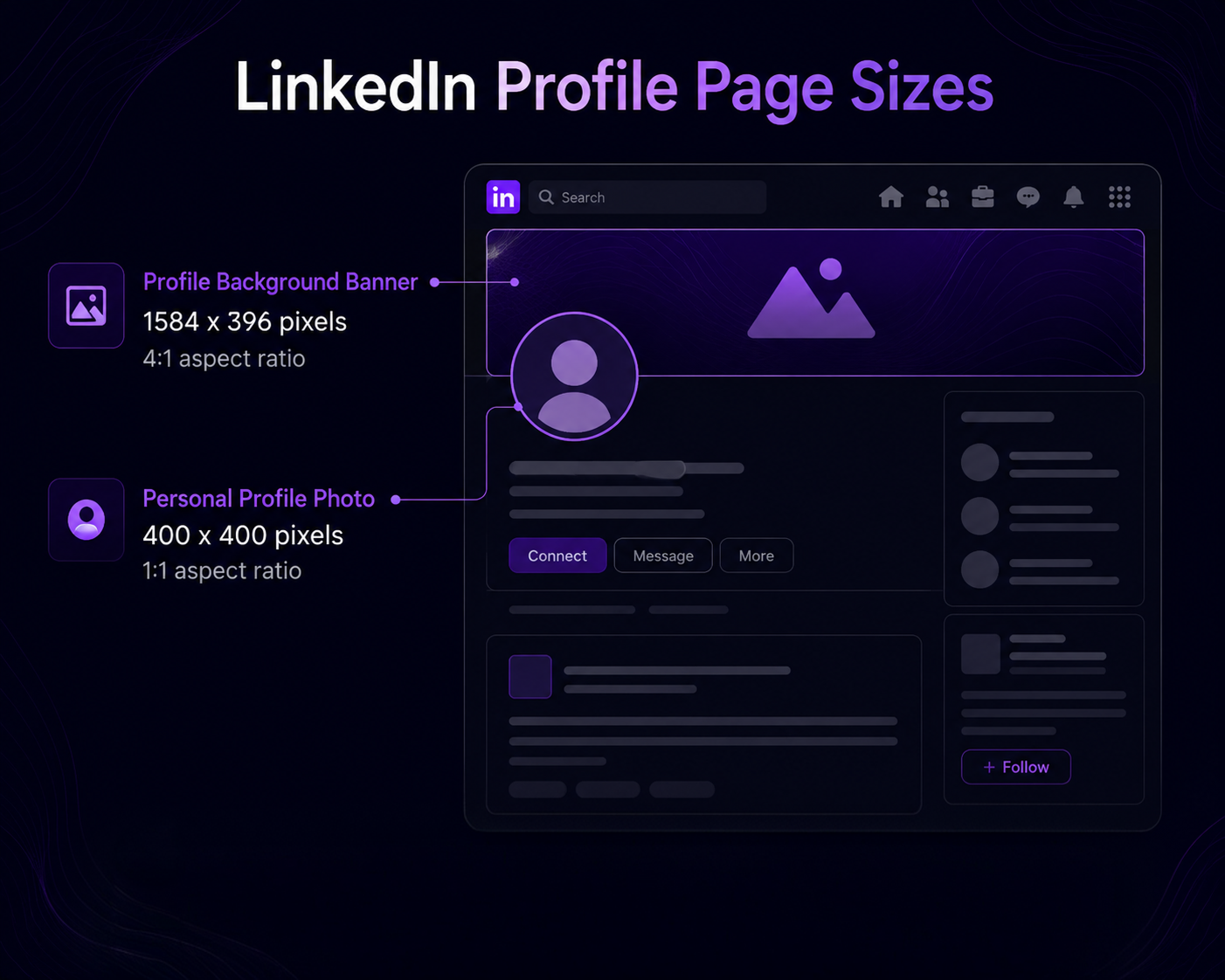
Profile photo — 400 × 400 px
- Recommended: 400 × 400 px (minimum 268 × 268; accepts up to 7680 × 4320)
- Aspect ratio: 1:1 (displayed as a circle)
- Format: JPG or PNG · Max size: 8 MB
LinkedIn crops your photo into a circle, so keep your face centered and let it fill about 60% of the frame. Anything important in the corners disappears. If your photo looks soft after upload, re-export at exactly 400 × 400 instead of letting LinkedIn downscale a huge file.
Profile banner (cover photo) — 1584 × 396 px
- Recommended: 1584 × 396 px
- Aspect ratio: 4:1 · Max size: 8 MB
Two danger zones here. On desktop, your circular profile photo covers the bottom-left area of the banner. On mobile, the sides get cropped — keep every word and logo inside the center ~1200 px. Full breakdown in the safe zones section below.
Pro tip
Your banner and headline are read together. Use the banner to show who you help and how — one line of benefit copy in the safe zone beats a generic city skyline every time.
LinkedIn Company Page Image Sizes
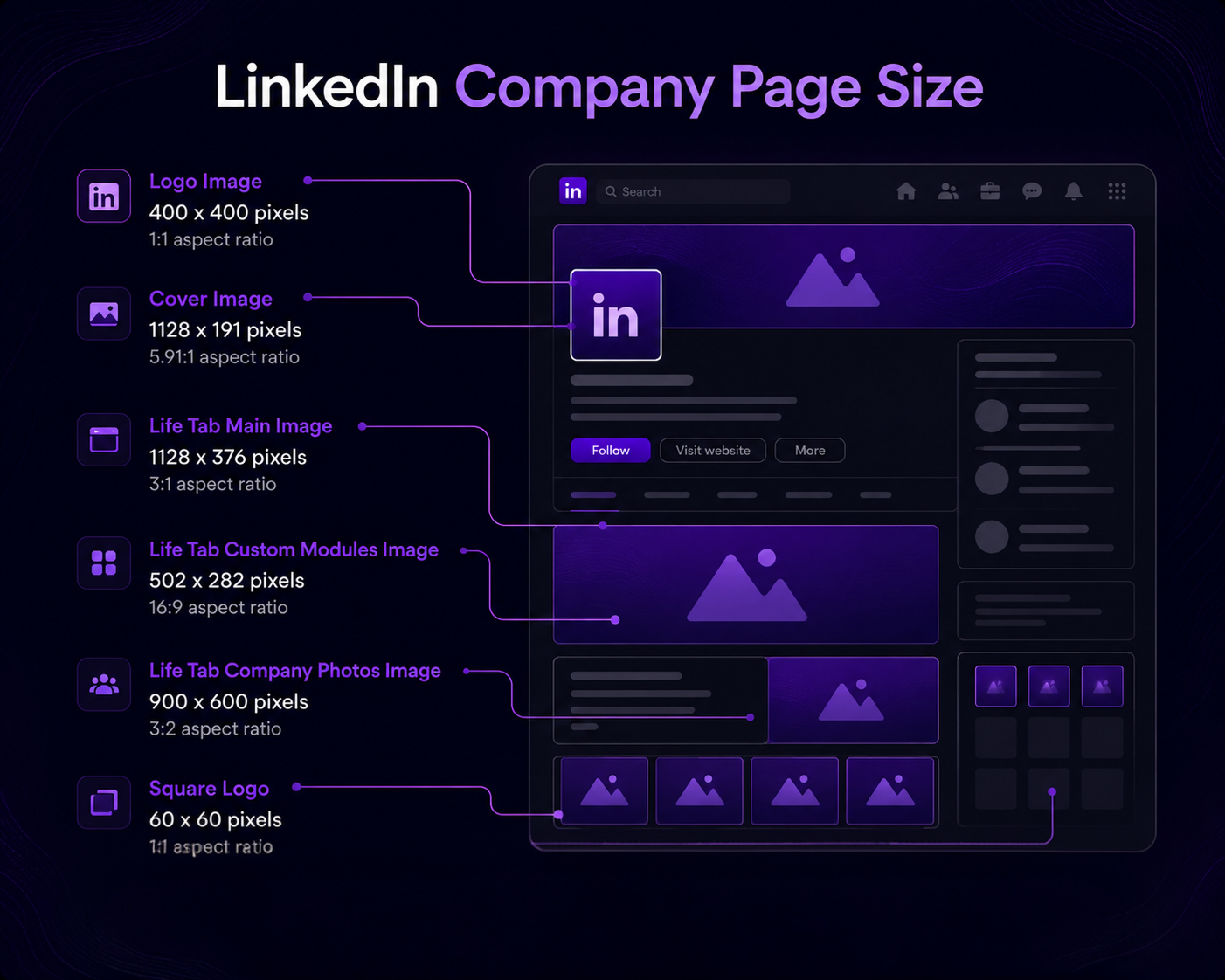
Company logo — 300 × 300 px
- Recommended: 300 × 300 px (minimum 268 × 268)
- Aspect ratio: 1:1 · Format: PNG preferred · Max size: 4 MB
Your logo renders as tiny as 40 × 40 px in the feed. Quick test: zoom your logo out to thumbnail size before uploading. If the text becomes unreadable, use a simplified icon version instead of the full wordmark.
Company cover — 1128 × 191 px (upload up to 4200 × 700)
- Displayed at: ~1128 × 191 px · Aspect ratio: ~6:1
- High-res upload: 4200 × 700 px (same ratio, sharper on retina)
- Max size: 4 MB
This is the most awkward canvas on LinkedIn — an ultra-wide strip. On mobile it crops to roughly the center 900 px, so treat the outer edges as decoration only.
Life tab images
- Main image: 1128 × 376 px (3:1)
- Custom module: 502 × 282 px
- Company photos: 900 × 600 px
If you use Career Pages, treat the Life tab like a hiring landing page: real team photos, consistent color grading, no generic stock imagery.
LinkedIn Feed Post Image Sizes
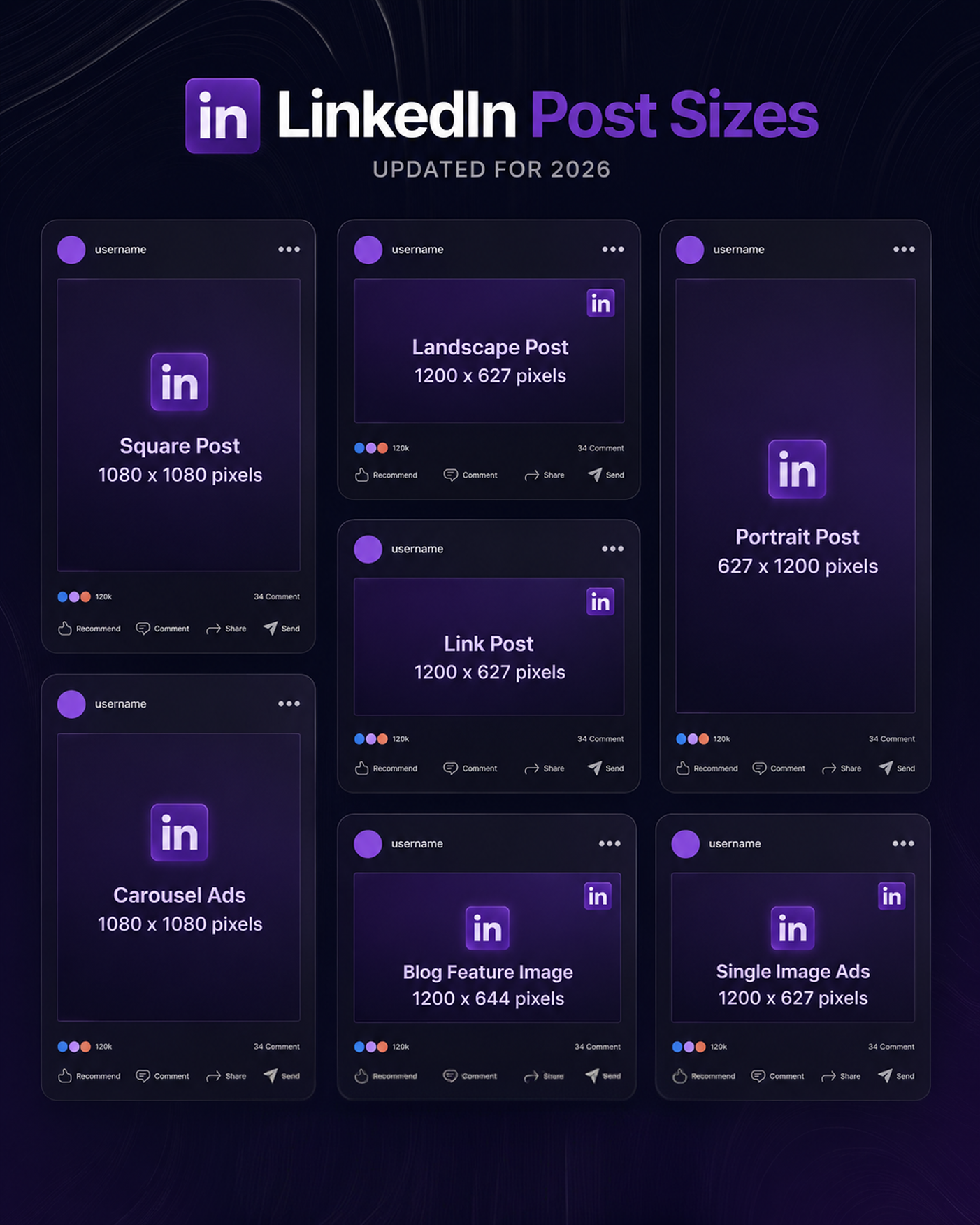
Feed posts give you three format choices, and the one you pick changes how much screen space you occupy:
| Format | Size | Ratio | Best for |
|---|---|---|---|
| Landscape | 1200 × 627 px | 1.91:1 | Charts, wide infographics, link shares |
| Square | 1080 × 1080 px | 1:1 | Quotes, cross-posting from Instagram |
| Portrait | 1080 × 1350 px | 4:5 | Mobile-first reach — the 2026 winner |
Rules that apply to all three: keep images at least 1200 px wide for sharpness, stay under 5 MB, and use JPG for photos or PNG for graphics with text.
Multi-image posts
Uploading 2–9 images? Make every image 1080 × 1080 px. Mixed dimensions force LinkedIn into unpredictable grid crops, and your carefully composed shots get butchered.
Link previews & article covers
- Link preview (OG image): 1200 × 627 px — set it with Open Graph tags on your site so LinkedIn pulls the right thumbnail.
- Article cover (LinkedIn Articles/Newsletters): 1920 × 1080 px (16:9).
LinkedIn Carousel & Document Sizes
Carousels on LinkedIn are actually PDF document posts — and they're still one of the highest-engagement organic formats in 2026 because every swipe counts as a dwell signal.
- Slide size: 1080 × 1080 px (1:1) or 1080 × 1350 px (4:5 — more screen space on mobile)
- Export as: PDF (flattened, fonts embedded)
- Max file size: 100 MB · up to 300 pages (aim for 8–15 slides)
Good to know
LinkedIn rasterizes your PDF, so tiny text gets crunchy. Keep body text at 28 pt or larger on a 1080 px canvas, and never place key content in the bottom strip where the page counter overlays.
LinkedIn Ad Sizes
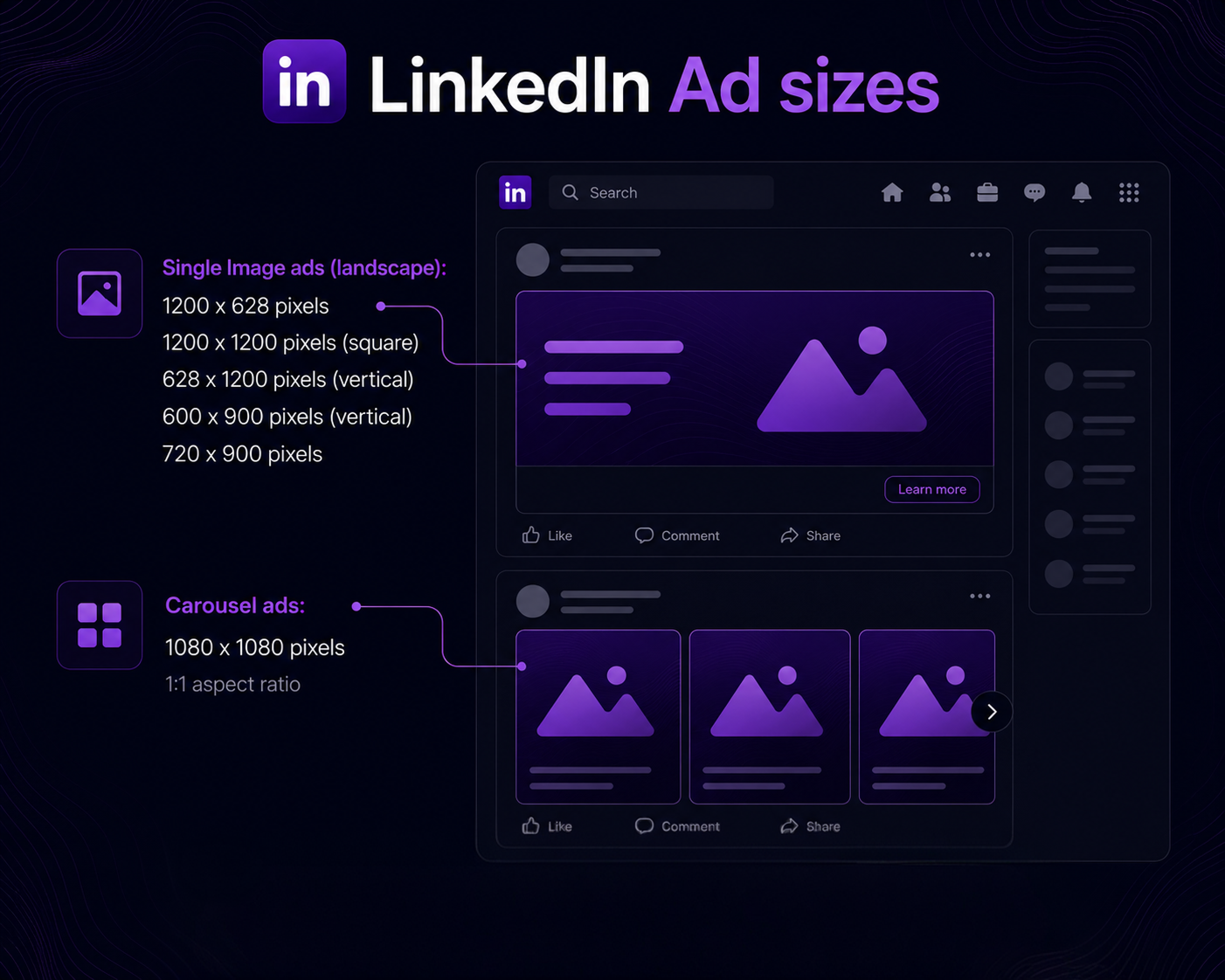
| Ad format | Size | Ratio | Limits |
|---|---|---|---|
| Single image — landscape | 1200 × 627 px | 1.91:1 | 5 MB |
| Single image — square | 1200 × 1200 px | 1:1 | 5 MB |
| Single image — vertical | 1200 × 1500 px | 4:5 | 5 MB |
| Carousel ad card | 1080 × 1080 px | 1:1 | 2–10 cards, 10 MB each |
| Message ad banner | 300 × 250 px | 1.2:1 | 2 MB |
| Text / Spotlight ad logo | 100 × 100 px | 1:1 | 2 MB |
| Video ad | 1920 × 1080 px | 16:9 | 3 s – 30 min, 200 MB |
Warning
Keep on-image text under roughly 20% of the ad area. Text-heavy creatives get lower delivery and look like banners people have trained themselves to ignore.
LinkedIn Event & Group Image Sizes
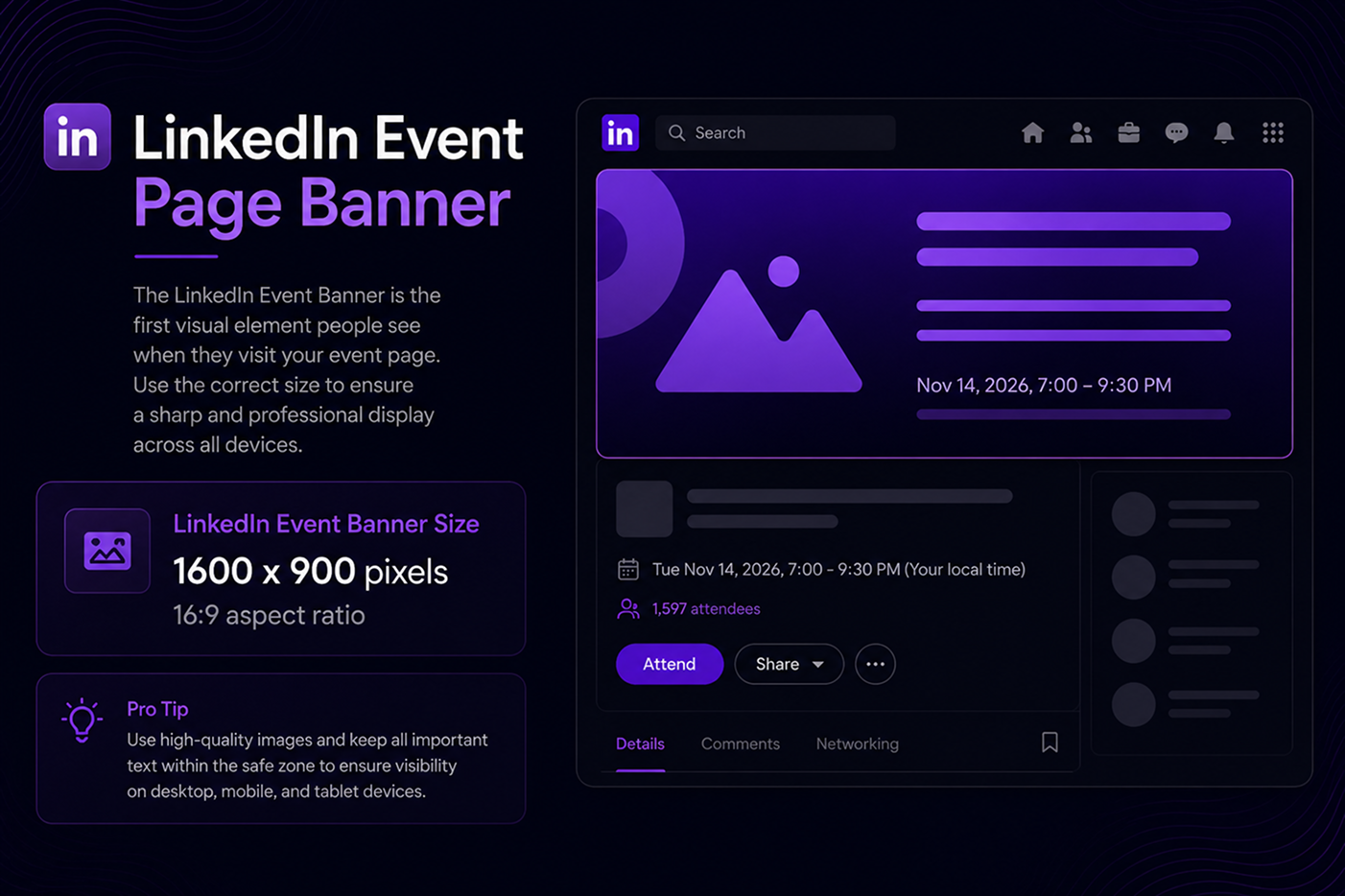
- Event banner: 1600 × 900 px (16:9) — 1280 × 720 also works, but 1600 × 900 scales cleaner
- Event logo: 300 × 300 px (1:1)
- Group banner: 1536 × 768 px (2:1)
- Group logo: 300 × 300 px (1:1)
Event banners appear both on the event page and in feed shares, so put the essentials — topic, date, speaker faces — in the center and keep edges clean.
LinkedIn Video Sizes & Specs
- Landscape: 1920 × 1080 px (16:9)
- Square: 1080 × 1080 px (1:1)
- Vertical: 4:5 or 9:16 (mobile-first)
- Length: 3 seconds – 10 minutes (organic feed)
- Format: MP4 (H.264) · Max size: 5 GB
- Frame rate: 30 fps · Bitrate: 5–10 Mbps for 1080p
- Custom thumbnail: 1920 × 1080 px, JPG/PNG, max 2 MB
Most feed video plays on mute, so burn in captions. And always upload a custom thumbnail — auto-generated frames catch people mid-blink, and a designed thumbnail meaningfully lifts play rates.
Safe Zones: Where Your Design Actually Survives
"Safe zone" means the area of an image that stays visible on every device. Everything outside it is at risk. The three that matter most:
- Profile banner (1584 × 396): keep text inside the center 1200 × 300 px. Also avoid the bottom-left quarter — your circular profile photo sits on top of it on desktop.
- Company cover: mobile crops to roughly the center 900 px of width. Logos or taglines near the edges will vanish for most of your audience.
- Feed images & carousels: keep headlines and CTAs at least 60–80 px from every edge. Feed previews shave the borders, and the carousel page counter overlays the bottom.
Pro tip
A simple rule that covers ~90% of cropping problems: keep critical content inside the middle 75% of any LinkedIn image — horizontally and vertically.
Compression & Export Settings That Beat LinkedIn's Algorithm
PNG vs JPG vs WebP
- PNG (PNG-24): graphics with text, logos, flat colors, screenshots. Lossless — text edges stay razor sharp.
- JPG (85–95% quality): photos and anything with gradients. Smaller files, invisible quality loss at high settings.
- WebP: perfect for your website (like the infographics on this page), but export PNG/JPG for direct LinkedIn uploads for maximum compatibility.
Universal export rules
- Export at the exact target dimensions — never upscale a small image.
- Use the sRGB color space. Other profiles shift colors on the web.
- 72 PPI is fine; pixels are what matter online, not print DPI.
Tool-specific quick settings
- Canva: set the canvas to exact pixel dimensions before designing (don't resize after). Download as PNG for graphics; tick "compress file" only for photos.
- Photoshop: File → Export → Export As → PNG-24 for graphics, or JPG at quality 90 for photos. Convert to sRGB on export.
- Figma: select the frame → Export → 1x PNG (frame already at exact size). For carousels, export frames as a single PDF via "Export frames to PDF."
Frequently Asked Questions
What is the best LinkedIn image size for posts in 2026?
Portrait 1080 × 1350 px (4:5) performs best in 2026 because it occupies the most mobile screen space. Use 1200 × 627 px (1.91:1) for link shares and 1080 × 1080 px when you're repurposing square content.
What size is a LinkedIn banner in 2026?
Personal profile banners are 1584 × 396 px (4:1). Company Page covers display at about 1128 × 191 px, and you can upload up to 4200 × 700 px at the same ratio for a sharper result.
What size should a LinkedIn carousel be?
Design slides at 1080 × 1080 px (square) or 1080 × 1350 px (portrait), then export as a single PDF. Portrait slides get more screen real estate on mobile.
Why does my LinkedIn image look blurry after uploading?
Usually one of three causes: the source image was smaller than the display size (LinkedIn upscaled it), the file was heavily compressed before upload, or text was too thin to survive LinkedIn's compression. Re-export at exact dimensions in PNG-24 and it almost always fixes itself.
Does LinkedIn support transparent PNGs or animated GIFs?
No to both. Transparent PNG areas are filled with white on upload, and animated GIFs post as a static first frame. Flatten your designs on a solid background.
Can I still post LinkedIn Stories?
No — LinkedIn discontinued Stories in September 2021. If a guide still lists Story dimensions, it's outdated.
What is the LinkedIn event banner size?
1600 × 900 px at a 16:9 aspect ratio. Keep the topic, date, and any faces centered so nothing gets cropped in feed previews.
Final Pre-Upload Checklist
- Dimensions match the exact recommended size for the placement
- Critical text sits inside the safe zone (middle 75%)
- PNG-24 for graphics/text, JPG 85–95% for photos, sRGB color
- File under the placement's size limit
- Text readable at thumbnail size (zoom out and squint)
- Previewed on mobile before publishing
- Alt text written for accessibility and SEO
Final Thoughts
LinkedIn image sizing isn't glamorous work, but it's the foundation everything else sits on. The four numbers to memorize: 400 × 400 for your profile photo, 1584 × 396 for your banner, 1080 × 1350 for feed posts, and 1080 × 1080 for carousel slides. Get those right, respect the safe zones, and your content will look intentional on every screen it reaches.
Start with the two images people see first — your profile photo and banner. Ten minutes of resizing today upgrades every impression you make from now on.
Last updated: July 2026 · Specs verified against LinkedIn's current documentation and leading 2026 industry guides.